19 Common Mistakes in POS Maintenance and How to Avoid Them
Maintaining a Point of Sale (POS) system can be a challenging task, but avoiding common pitfalls can make all the difference. In this article, we'll explore frequent mistakes that businesses make when handling POS maintenance, and we'll share simple tips to help you steer clear of these errors. Let's dive in and ensure your POS system is always at its best!
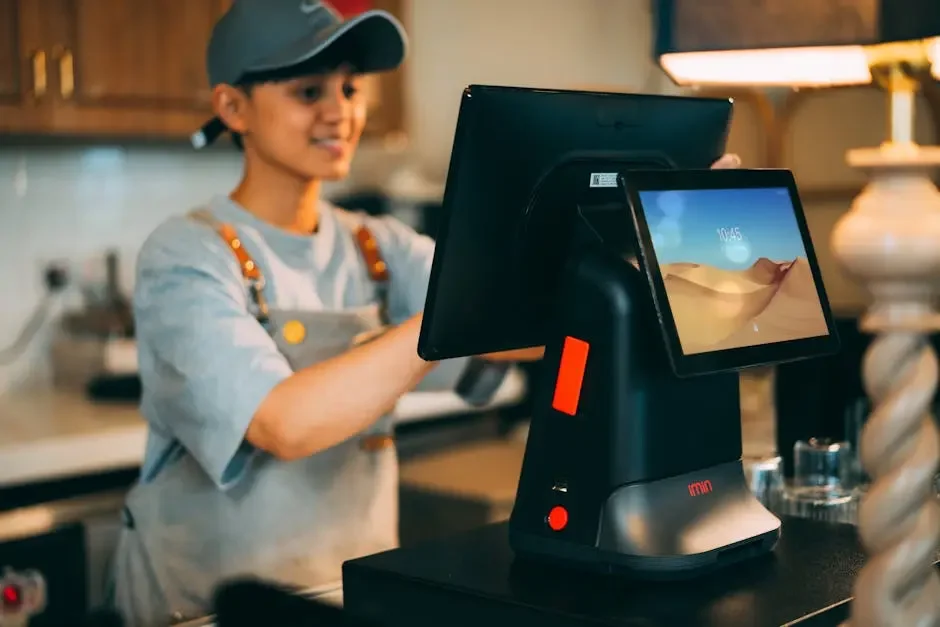
1. Neglecting Regular Software Updates
One of the most significant oversights in POS maintenance is failing to keep your software up to date. Regular updates ensure you have the latest features and security patches. The longer you wait, the more risk you take; outdated software can expose your system to vulnerabilities that hackers love to exploit.
Moreover, updates often come with performance enhancements that can speed up operations and improve user experience. Just imagine speeding up transaction times or minimizing software glitches. In an era where every second counts, these small adjustments can have a big impact on customer satisfaction. Make a habit of checking for updates at least once a month, setting reminders if necessary.
2. Ignoring Security Protocols
Security should always be a top priority. Neglecting security protocols can leave your business vulnerable to cyberattacks and data breaches. Since a POS system processes sensitive customer information, failing to implement strong security measures can have devastating consequences not just for your business, but for your customers too.
Consider investing in firewalls, antivirus software, and encryption for data storage. Additionally, regular security audits can uncover weaknesses before they can be exploited. Combine this with employee training, emphasizing the importance of secure practices, and you'll create a multi-layered defense to protect your assets.
3. Forgetting to Backup Data
Failing to back up your POS data can result in catastrophic loss. Regular backups are essential to safeguard against hardware failures that could lead to unplanned downtime. Imagine losing transaction records, customer data, or inventory lists—is your business prepared for that kind of setback?
To avoid such disasters, implement a structured backup routine. Automate this process if possible, ensuring backups are conducted daily or weekly. Store these backups in a secure cloud service or off-site to protect them from local disasters like floods or fire. You’ll sleep better knowing your data is safe and retrievable, even in the worst-case scenario.
4. Not Training Staff Properly
Inadequate training can lead to improper use of the POS system. Ensure your team knows how to operate the system effectively to avoid mistakes that could be easily corrected with proper guidance. It's not just about knowing how to ring up sales; understanding how to troubleshoot everyday issues can make all the difference.
Consider regular training sessions and onboarding processes for new staff. Tailor these sessions to cover the nuances of your specific POS system and ensure everyone feels comfortable using all its functionalities. A well-trained team is empowered and more productive, directly translating to better customer experiences.
5. Overlooking Hardware Maintenance
Just like software, your hardware needs care. Skipping hardware maintenance can lead to performance issues and increased downtime. Neglecting the occasional dusting or forgetting to inspect cables could eventually result in hardware failures at the worst possible time—like during a busy sales rush.
Make it a point to perform regular checks on your hardware components, including barcode scanners, receipt printers, and registers. You might consider creating a checklist that outlines what needs to be inspected and when. Keeping your hardware in good shape extends its lifespan and ensures that you have reliable tools to serve your customers.
6. Failing to Monitor System Performance
Do you check in on your system's performance? Failing to monitor can result in unidentified issues that snowball into bigger problems. A POS system that’s sluggish or frequently crashes not only frustrates employees but can also deter customers and affect sales.
Utilize analytics tools available within your POS software to track system speed and transaction times. Regularly assess this data, and you might uncover trends that point to potential performance bottlenecks. By addressing these issues proactively, you're ensuring a smoother experience for both your staff and customers.
7. Underestimating the Importance of User Access Controls
Allowing too many permissions can be risky. Implementing user access controls is crucial for protecting sensitive business information. Consider who truly needs access to specific functions within the POS; not all employees require administrative capabilities.
Simple tweaks can bolster your defenses. Assign roles that correlate with job responsibilities, and review these roles periodically to ensure they still align with employee duties. This not only minimizes the risk of unauthorized actions but also simplifies processes for staff, enhancing overall productivity.
8. Not Keeping a Maintenance Schedule
Without a maintenance schedule, essential checks can be forgotten. Establishing a routine helps ensure consistent upkeep of the system. Think of it like regular oil changes for your car—neglecting this can lead to bigger problems down the line.
Create a detailed schedule that outlines each maintenance task, who is responsible, and when it needs to be completed. This way, everyone is clear about their roles and responsibilities. Over time, sticking to this schedule will become second nature, ensuring your POS system runs optimally without unnecessary disruptions.
9. Skipping Troubleshooting Protocols
When problems arise, skipping the troubleshooting process can lead to frustration. Familiarize yourself with troubleshooting steps to address issues quickly. You’ll save time and reduce downtime, which is essential during busy hours.
Encouraging a culture where staff feel comfortable reporting issues is important. When they know they don't have to solve everything on their own, it leads to faster resolution times. Create a troubleshooting guide that can be easily accessed; this can often help resolve minor issues before they escalate.
10. Ignoring Supplier Support
Your POS supplier can be a valuable resource. Ignoring their support can prevent you from receiving critical insights and assistance. They often have access to expert advice, software patches, and best practices that can keep your system running smoothly.
Keep an open line of communication with your supplier. Schedule periodic check-ins or consider joining webinars and training sessions they offer. By leveraging their expertise, you can enhance your maintenance practices and learn about new features that could benefit your business.
11. Disregarding Compatibility Issues
Always check for compatibility between your software and hardware. Using incompatible systems can lead to conflicts and malfunctions that disrupt daily operations. Before implementing any upgrades, verify that everything will work seamlessly together.
This extends to peripherals like scanners and printers as well. Investing in top-notch equipment means nothing if it can't effectively communicate with your software. Regularly consult your vendor’s guides to ensure compatibility, helping you avoid future headaches and costly replacements.
12. Overcomplicating Setup and Configuration
Keeping your setup simple can improve usability. Complex configurations can confuse staff and reduce efficiency. It's easy to go overboard with features, but remember that a streamlined system is often more effective.
Stick to what you truly need, and train your staff to utilize these features well. A system that is easy to navigate will result in quicker transactions and enhanced customer experiences. In the long run, simplicity often leads to greater productivity.
13. Not Keeping a Backup Hardware Device
Having a backup hardware device is critical in case of system failures. It ensures your business can continue operating smoothly. Imagine a busy Saturday afternoon, and your main terminal crashes—having a backup can literally keep your doors open.
Set aside funds to invest in a secondary device or keep an older model as a backup, ensuring it’s still functional. Regularly check this backup to confirm it’s up-to-date and ready for use at a moment's notice. This proactive measure can save both time and revenue.
14. Neglecting Customer Feedback
Customer feedback can reveal issues you might not notice. Listen to your customers to improve your POS experience. They can provide insights into transaction difficulties or system errors that aren’t visible to management.
Create an easy channel for feedback, like comment cards or follow-up emails after their purchase. Evaluate this feedback regularly to pinpoint recurring problems and take corrective measures. By showing customers that their opinions matter, you'll foster loyalty and encourage repeat business.
15. Forgetting to Customize Settings
Every business is different. Not customizing your system settings can prevent you from fully utilizing the features available. Take the time to adjust your settings to align with your unique workflow, products, and customer interactions.
Personalizing functions like tax rates, discounts, and inventory tracking will make the system more effective. Don't hesitate to reach out to your POS vendor for help in optimizing these settings. Tailoring the system to fit your needs will ultimately enhance efficiency and service quality.
16. Relying Solely on Automated Systems
While automation is helpful, relying solely on it can lead to a lack of oversight. Regular manual checks are still necessary to ensure everything functions as expected. Automated reminders for regular tasks are fantastic, but they shouldn’t replace human judgment.
Incorporating regular audits of the automated processes not only maintains system integrity but helps catch issues early on. Balance technology with human intervention for optimal performance, thereby ensuring that your business remains agile and responsive.
17. Failing to Understand Reports and Analytics
Reports and analytics provide insights crucial for decision-making. Avoiding them can lead to uninformed strategies. It's easy to overlook data when you're busy daily, but these reports hold valuable information about customer trends and sales performance.
Set aside time each week to review your POS analytics. Understanding this data can lead to informed marketing strategies, inventory adjustments, and even enhanced customer service. Remember that an informed business is a successful business—don't neglect this vital piece of the puzzle.
18. Overlooking Staff Communication
Effective communication among staff regarding the POS system can prevent misunderstandings and errors. Keep the dialogue open, discussing any challenges or questions as a team. An environment where feedback flows freely will lead to collective problem-solving.
Regular team meetings focused on the POS system can be beneficial. Encourage your team to share experiences and tips they've discovered. This communal learning fosters a sense of ownership and accountability, ultimately boosting morale and efficiency in your business.
19. Not Preparing for Technological Changes
Technology evolves rapidly. Not being prepared for changes can leave your business lagging behind competitors. Staying current with trends is essential, whether it’s new features from your POS provider or advancements in payment processing.
Engage with industry news and keep an eye on emerging technologies. Attending conferences or participating in online forums can provide insights and prepare you for necessary transitions. By actively seeking knowledge, you position your business as a leader in the field, ready to embrace what’s next.